
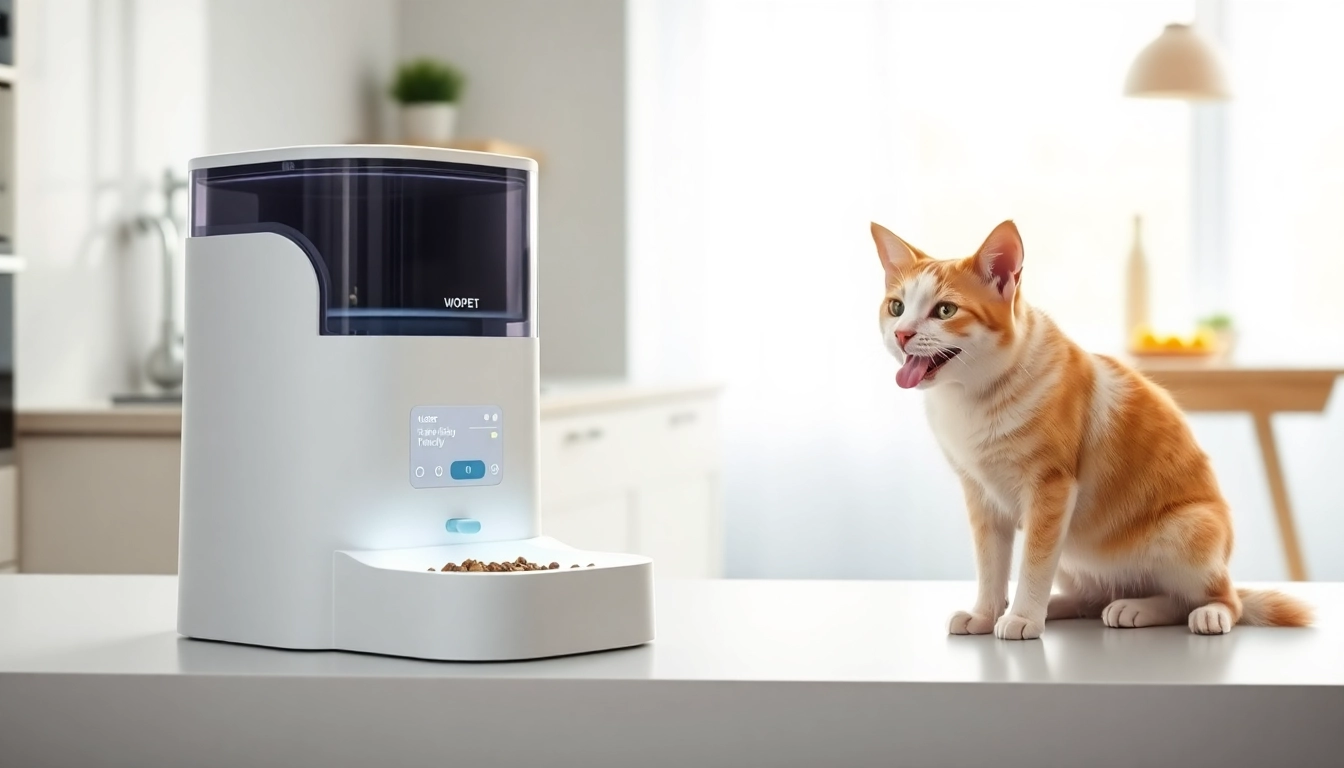
Understanding the WOPET Automatic Pet Feeder
Introduction to Automatic Pet Feeders
The advent of technology in pet care has revolutionized how we manage the dietary needs of our furry friends. Automatic pet feeders have emerged as a feasible solution for pet owners, facilitating scheduled feeding intervals that help maintain a consistent diet. The WOPET automatic pet feeder stands out in this market, providing features that cater to the diverse needs of pet owners and their pets alike. These devices are designed to alleviate the mundane task of feeding while ensuring your pets receive appropriate amounts of food at regular intervals. In this section, we will explore what automatic pet feeders are, how they function, and their growing popularity among pet lovers.
Key Features of WOPET Automatic Pet Feeder
The WOPET automatic pet feeder is equipped with a range of features that enhance its functionality, making it an excellent choice for any pet owner. Here are some key highlights:
- Programmable Feeding Times: The WOPET feeder allows you to set multiple feeding times throughout the day. Depending on the model, users can schedule up to 15 meals a day, ensuring your pet gets fed consistently even when you’re not home.
- Portion Control: With adjustable portion sizes, pet owners have the flexibility to customize the amount of food dispensed per meal. This feature is particularly beneficial if you are monitoring your pet's weight or adhering to a dietary plan.
- Wi-Fi and App Connectivity: Many WOPET models come with Wi-Fi capability, allowing pet owners to control feeding schedules and portions remotely through a smartphone app. This feature is especially useful for those with busy lifestyles.
- Large Food Hopper: The design often includes a sizable food hopper that can hold several liters of pet food, reducing the frequency of refills and giving you peace of mind regarding your pet’s food supply.
- Voice Recording: Some models include a voice recording option, enabling you to record a personal message for your pet, which plays during feeding times, fostering a sense of companionship.
Benefits of Using an Automatic Feeder
Incorporating a WOPET automatic pet feeder into your pet care routine carries numerous benefits that extend beyond convenience:
- Consistency: Pets thrive on routine; an automatic feeder helps you maintain a regular feeding schedule, which can contribute positively to their overall health.
- Diet Management: For pets requiring specific dietary restrictions or portions, automatic feeders enable better calorie and food intake management, thus promoting healthy eating habits.
- Convenience: Busy pet owners can rely on automatic feeders to ensure their pets are feed on time, allowing them to spend their time on other priorities without detracting from pet care.
- Reduced Anxiety: Pets can experience anxiety and stress due to variability in their feeding routine. Consistent feeding times help alleviate this issue.
- Peace of Mind: When traveling or working long hours, pet owners can rest easier knowing their pets are being fed properly and regularly.
How to Set Up Your WOPET Automatic Pet Feeder
Unboxing and Initial Setup
Setting up your WOPET automatic pet feeder is a straightforward process. Here's how to get started:
- Unbox the Unit: Carefully remove the feeder and all accessories from the packaging. Ensure all components, including the food container, tray, and power adapter, are included.
- Assemble the Feeder: Follow the assembly instructions found in the user manual. Typically, you will need to attach the bowl and the food hopper to the main unit.
- Power It On: Plug the feeder into a power outlet. If applicable, insert batteries for backup functionality, especially if you opt for a Wi-Fi model.
- Connect to Wi-Fi (if applicable): Use the accompanying app to connect the feeder to your home Wi-Fi. Follow app instructions to establish a connection, ensuring your phone is on the same network.
Programming Feeding Schedules
Once set up, programming your feeding schedules is a breeze:
- Access the Menu: Navigate to the settings menu on the feeder or through the app.
- Select Feeding Times: Choose the times you wish to feed your pet. The app provides notifications for reminders, so you never miss a schedule.
- Set Portion Sizes: Adjust the portion size according to your pet's dietary needs. Monitor your pet’s response over the first few days to find the right amount.
- Test the Feeder: Conduct a test by feeding your pet to ensure everything operates correctly.
Maintenance Tips for Longevity
To ensure your WOPET automatic pet feeder has a long lifespan, regular maintenance is essential. Here are some tips to keep your feeder functioning optimally:
- Regular Cleaning: Clean the food hopper, bowl, and any removable parts regularly to prevent residue buildup and bacterial growth.
- Check Batteries: If using a battery backup feature, check the batteries regularly and replace them as needed to avoid interruptions during feeding.
- Inspect for Wear: Routinely check the feeder for any signs of wear or damage and repair as necessary to ensure it continues to function effectively.
- Store Properly: If storing the feeder for an extended period, ensure it is dry and clean to prevent mold or corrosion.
Optimal Usage of WOPET Automatic Pet Feeder
Feeding Strategies for Different Pets
Utilizing your WOPET automatic pet feeder effectively can depend on your pet's unique needs. Here are some strategies:
- Dogs: For dogs, ensure meals are scheduled around their daily activities, keeping in mind their energy levels and exercise routines. Consider their breed and size to determine appropriate portion sizes.
- Cats: Cats are often more temperamental about food. Establishing regular feeding times may require trial and error. Start with small portions and adjust based on your cat's preferences and reactions.
- Puppies and Kittens: Young pets typically require more frequent meals. Use the selective feeding schedule features to accommodate their specific requirements.
Adjusting Portion Sizes for Health
Equally important to scheduling is monitoring and adjusting portion sizes effectively. Here are steps to ensure the health of your pet through optimal feeding:
- Consult Your Veterinarian: Discuss your pet's dietary needs with a veterinarian, especially if weight management is a concern.
- Monitor Weight: Regularly weigh your pet and adjust food portions based on changes to ensure they are maintaining a healthy weight.
- Track Feeding Responses: Observe how your pet reacts to meals, including their appetite and energy levels. Adjust portions based on these observations.
Integrating with Your Pet's Routine
Integrating the automatic feeder into your pet's daily routine can have a significant impact on its effectiveness:
- Routine Feeding: Utilize established feeding times to create consistency in your pet’s routine, enhancing their sense of security.
- Coordinated Playtime: Plan playtime around feeding to engage your pet's energy levels and ensure they associate feeding times with positive experiences.
- Trial Periods: Use the initial weeks to assess how your pet adjusts to the feeder and modify their routine based on their behavior and comfort.
Comparing WOPET with Other Automatic Feeders
Price vs. Functionality
When it comes to automatic pet feeders, price often correlates with functionality. WOPET feeders come in a range of prices depending on their features, such as Wi-Fi connectivity, portion control, and the ability to schedule multiple feeding times. Generally, higher-priced models offer more advanced features, like app control and larger food hoppers, giving you flexibility based on your budget and requirements.
User Reviews and Experiences
Feedback from users provides insight into how WOPET compares with other automatic feeders. Many pet owners praise the reliability and functionality of WOPET feeders, appreciating their ease of use and the support they provide in managing pet diets. Issues reported by some users mostly revolve around initial setup challenges or occasional connectivity problems, which are not uncommon in smart devices.
Market Positioning of WOPET Feeders
WOPET has established itself as a prominent player in the market, appealing to pet owners who appreciate quality, technology, and design. Their branding focuses on enhancing pet care without adding work to the owner’s routine. Compared to rivals, WOPET stands out due to its competitive pricing, strong functionality, and user-centric features.
Frequently Asked Questions About WOPET Automatic Pet Feeders
What Makes WOPET Different?
WOPET feeders distinguish themselves through their combination of innovative technology and user-friendly design. Features like programmable feeding schedules, Wi-Fi connectivity, and robust portion control are specifically engineered to reduce the burden on pet owners while ensuring their animals are fed according to their specific needs.
How Long Does the Feeder Last?
The longevity of a WOPET automatic pet feeder largely depends on its usage and maintenance. With regular care, including cleaning and following user manual guidelines, these feeders can last several years. Models equipped with both AC power and battery backup also provide an extra layer of reassurance during power outages.
Is the WOPET Feeder Compatible with an App?
Yes, many WOPET automatic feeders offer app compatibility. This allows users to manage feeding schedules, adjust portions, and receive alerts, all directly from their smartphones. The app's user interface is designed for ease of navigation, ensuring users can access all features without hassle.